
It is easy to send Zulips on SVN commits, by configuring a post-commit hook. To do this:
-
Create the channel you'd like to use for Subversion notifications.
-
Download and install our Python bindings and example scripts on the system where the Subversion integration script will be run from.
-
Install
pysvn. On Linux, you can install thepython-svnpackage. On other platforms, you can install a binary or from source by following the instructions on the pysvn website. -
Open
/usr/local/share/zulip/integrations/svn/zulip_svn_config.pywith your favorite editor, and change the following lines to specify the email address and API key for your Subversion bot:ZULIP_USER = "svn-bot@zulip.flickboard.natkr.com" ZULIP_API_KEY = "0123456789abcdef0123456789abcdef" ZULIP_SITE = "https://zulip.flickboard.natkr.com" -
Copy
integrations/svn/zulip_svn_config.pyandintegrations/svn/post-commitfrom the API bindings directory to thehookssubdirectory of your SVN repository. -
The default stream used by this post-commit hook is
commits; if you’d prefer a different stream, change it now inzulip_svn_config.py. Make sure that everyone interested in getting these post-commit Zulips is subscribed to that stream!
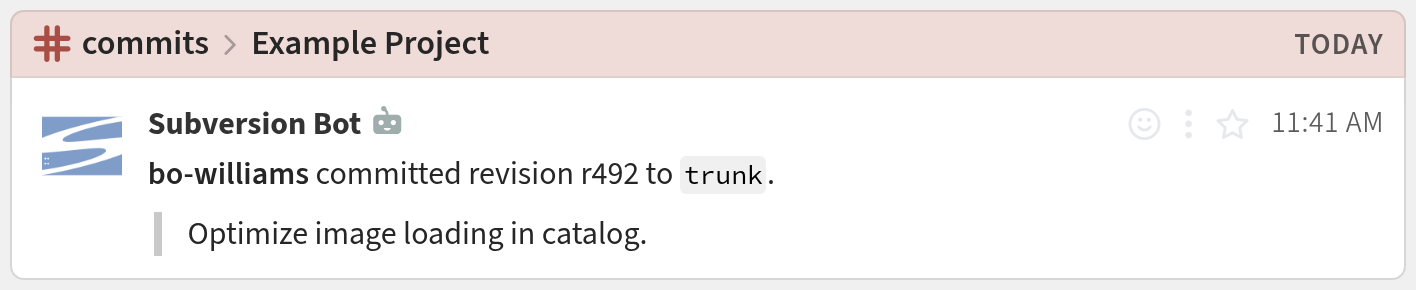
You're done! Your Subversion notifications may look like this:
Logos are trademarks of their respective owners. None of the integrations on this page are created by, affiliated with, or supported by the companies represented by the logos.